
Key takeaways
- In late 2026 a new graphics card under 150 dollars is rare, so the realistic answers are a used AMD Radeon RX 6600 for the best 1080p value, a used…
In late 2026 a new graphics card under 150 dollars is rare, so the realistic answers are a used AMD Radeon RX 6600 for the best 1080p value, a used GeForce RTX 3060 12GB if you can find one near the cap, a GeForce RTX 3050 6GB for low-power systems, or a stretch to the Intel Arc B570 if you want a new card with a warranty and 10GB of memory. Reviewers at PC Gamer and Tom’s Hardware both treat the Arc B570 as the cheapest new card worth buying, yet its street price sits above this guide’s cap, which is why used cards and older generations dominate the sub-150 conversation.
Our top picks

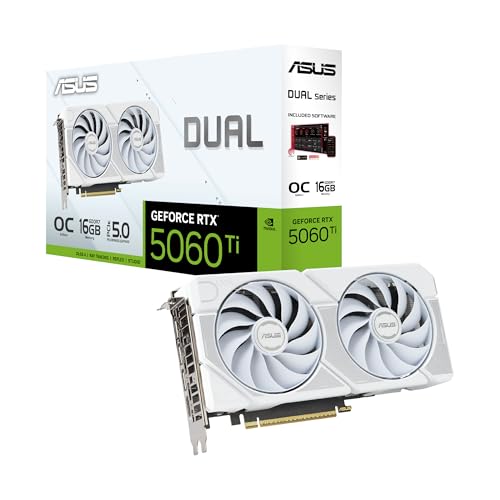


As an Amazon Associate we earn from qualifying purchases at no extra cost to you.
What to expect at this price
Under the cap you are buying 1080p gaming performance at medium to high settings in many titles, with limits in the newest, most demanding games. Roundup sites say a used RX 6600 or RTX 3060 12GB significantly outperforms any new card at this budget, although those used prices change with supply and may drift above the cap. A new card at this tier is typically an entry-level model that is no faster than an older used card. Because prices and availability swing, treat the tiers below as a way to choose a card class, and compare each specific listing against its stated memory, power and ports.
At a glance: cards that fit the budget conversation
| Card | Best for | Key stated specs | Limits |
|---|---|---|---|
| Radeon RX 6600 (used) | Best value 1080p gaming | 8GB of GDDR6 and a 128-bit memory interface; reviewers report it often sells used within or near this budget | 8GB can limit high texture settings; no warranty on many used cards; PCIe x8 interface |
| GeForce RTX 3060 12GB (used) | More memory, Nvidia features | 12GB of memory; reviewers say it matches the Arc B570 in several tests | Usually at the top of or above the cap |
| GeForce RTX 3050 6GB | Low-power builds, esports | Reported board power of about 70 W; some models run from slot power only, according to makers | 6GB of memory limits newer games; weaker than the RX 6600 |
| Intel Arc B570 | New card with warranty, 10GB of memory | Per Tom’s Hardware: 18 Xe-cores, 10GB of GDDR6 on a 160-bit interface, 150 W total board power, PCIe 4.0 x8 interface | New street prices are above the cap; some driver concerns reported |
| Radeon RX 580 8GB, GTX 1660 Super (used) | Lowest-cost used options | Previous-generation cards with 8GB and 6GB of memory respectively | Older features; weaker ray tracing and efficiency |
How to choose
Video memory
Memory capacity is the most important spec at this price because modern games load large textures. Eight gigabytes is the practical minimum, and 10GB or 12GB gives more room. Tom’s Hardware notes the B570 can run out of memory at 1440p and above, so consider it a 1080p card. A 6GB card like the RTX 3050 6GB works for esports titles but may require lower texture settings in newer games.
Resolution and refresh rate
A 1080p monitor at 60 to 144 Hz is the target for these cards. If you play competitive shooters, the RX 6600 and RTX 3060 are fine at high frame rates, and demanding single-player titles can still run at medium to high settings. For 1440p or ray tracing, plan for a more expensive card.
Power and connectors
Check the card’s power requirement and your power supply’s wattage and connectors. The Arc B570’s board power is stated at 150 W, and Tom’s Hardware measured average power across its suite at about 130 to 140 W. Many entry-level cards use a single 8-pin or 6-pin PCIe connector, while the 70 W RTX 3050 6GB models may need none, depending on the maker’s model. Always check the specific card’s page before assuming a prebuilt system can run it.
PCIe bandwidth
Cards such as the RX 6600 and Arc B570 use eight PCIe lanes. They work on older PCIe 3.0 motherboards but may lose some performance there, especially when memory runs short. If you have an older system, favor a card with more memory.
Platform and driver notes
Intel’s Arc cards are widely reported to perform best with Resizable BAR enabled in the BIOS, so confirm your motherboard supports it. Tom’s Hardware lists driver concerns as a remaining drawback for the B570. Nvidia and AMD cards generally work with a standard driver installation, but older cards receive fewer feature updates.
Buying used safely
- Ask about history. Ask whether the card was used for cryptocurrency mining, whether the fans and thermal paste have been replaced, and why it is being sold.
- Inspect it. Look for bent connectors, damaged fans and heat discoloration. Ask for photos of the actual card, not stock images.
- Test on arrival. Run a graphics benchmark or a stress test and monitor temperatures. Watch for artifacts and crashes.
- Use buyer protection. Buy through marketplaces or stores with a return window or payment protection, and avoid paying by methods that cannot be reversed.
- Avoid scams. If a deal looks too good, it may be a fake or counterfeit card. Beware of listings that show only a box.
Installation and electrical safety
Switch off and unplug the power supply before installing a card. Use the power cables meant for the graphics card, never adapters that bypass the supply’s design limits, and seat connectors fully. If you are not sure that your power supply can handle the card, consult its label and the card maker’s recommended wattage, or ask a qualified technician. Install the card in the top PCIe x16 slot, secure it to the case with screws and connect the display cable to the card, not the motherboard.
Pick X if you need Y
| If you need | Pick | Reason |
|---|---|---|
| The best value 1080p performance under the cap | Used Radeon RX 6600 | Strong performance for the money, 8GB of memory |
| More memory and Nvidia features | Used GeForce RTX 3060 12GB | 12GB, performance comparable to the B570 |
| A card for a low-wattage power supply | GeForce RTX 3050 6GB | Low board power |
| A new card with a warranty | Intel Arc B570 (above the cap) | 10GB, 1080p performance, new-card support |
| The lowest cost to get gaming | Used RX 580 or GTX 1660 Super | Cheap, older but capable at 1080p |
Alternatives
- A CPU with integrated graphics. A Ryzen APU such as the Ryzen 5 5600G or the Ryzen 5 8600G can run lighter games at 1080p with reduced settings while you save for a card.
- Wait and save. Stretching the budget to cover a new Arc B570 or a similar card may offer better value and a warranty.
- Cloud gaming. For occasional play, a streaming service can avoid a hardware purchase, though it requires a good connection.
What performance to expect
At 1080p, the cards in this guide handle a wide range of games. Tom’s Hardware reports that the Arc B570 performs almost identically to the RTX 3060 12GB in its suite and beats the RX 7600 by about 10 percent in its 1080p ultra rasterized average, yet it could not hold a steady 60 frames per second at 1080p ultra in every title. That is a useful yardstick: the cards here are comfortable at high or medium settings, and heavier games need tuning. Lowering texture quality, turning on the upscaling option the game offers, and capping frame rate are the usual ways to keep play smooth. Ray tracing is best left off on these cards.
It also helps to match the card to the rest of the system. A very old processor can hold back even a modest card, so if the CPU is several generations behind, expect lower frame rates and consider a processor upgrade as part of the plan. Intel’s Arc cards in particular are reported to be sensitive to processor overhead.
Frequently Asked Questions
Can I buy a new graphics card for under 150 dollars?
New cards at that price are scarce in 2026, and several outlets say the cheapest recommended new card, the Arc B570, costs more. Used cards and older generations are the practical way to stay under the cap.
Is the RX 6600 still good for gaming?
Yes, for 1080p. It has 8GB of memory and handles many current games at medium to high settings. It lacks the newest upscaling features and may struggle in the most demanding titles.
Is 6GB of video memory enough?
For esports titles and older games it is fine. Newer games may need lower texture settings. If possible, choose a card with 8GB or more.
Do I need a new power supply?
That depends on the card. Check the maker’s recommended power supply wattage and connectors, and compare them to your power supply’s label. Low-power cards like the RTX 3050 6GB may need no extra connector, while others need a 6-pin or 8-pin cable.
Will an Arc card work on an older motherboard?
It can, but reports indicate that Resizable BAR support helps performance, and a PCIe 3.0 slot may reduce speed for x8 cards. Check your BIOS settings and motherboard specifications before buying.
Is a used graphics card risky?
There is some risk because the card may have been heavily used and carries little or no warranty. Buy from sellers with return protection, inspect the card and test it on arrival. Avoid listings that cannot show the actual card.
